

MiniMax H3 是一款最新推出的 AI 视频生成模型。它无需为每个任务分别构建模型,而是将文本、图像、视频和音频置于统一的上下文中读取,并从任意组合中生成连贯的生成视频。它支持文本转视频、首尾帧识别、参考视频识别以及精确的视频编辑等。
一、MiniMax H3 本地部署教程
本文将带领你在本地电脑部署 MiniMax H3,从软件安装、工作流搭建,提示词,利用提示词完成视频生成。
1、电脑配置(在部署H3 时先看下自己电脑配置够不够)
| 项目 | 最低配置 | 推荐配置 | 说明 |
|---|---|---|---|
| 显卡 | 12GB 显存(3060) | 24GB 显存及以上 | 显存不够也能跑,但分辨率要降 |
| 内存 | 32GB | 64GB | H3 会借内存来分担显存压力 |
| 硬盘 | 60GB 空闲 | 150GB(建议 SSD) | 模型文件约 40GB,加上生成产物 |
| 系统 | Windows 10/11 / Linux | 同左 | |
| 网络 | 能访问 HuggingFace | 稳定宽带 | 首次要下载约 40GB 模型 |
2、安装ComfyUI(版本要 ≥ 0.30.0)
ComfyUI 是目前最强大的模块化 AI 内容创作引擎。它采用节点/流程图界面,让你无需编写任何代码,就能像搭积木一样搭建复杂的 AI 工作流,轻松生成图像、视频、3D 模型、音频等多种内容。
进入 ComfyUI 官网:https://comfy.org/ ,下载桌面版安装包,双击安装一路默认就行,安装器自动处理 Python、PyTorch 和 CUDA。
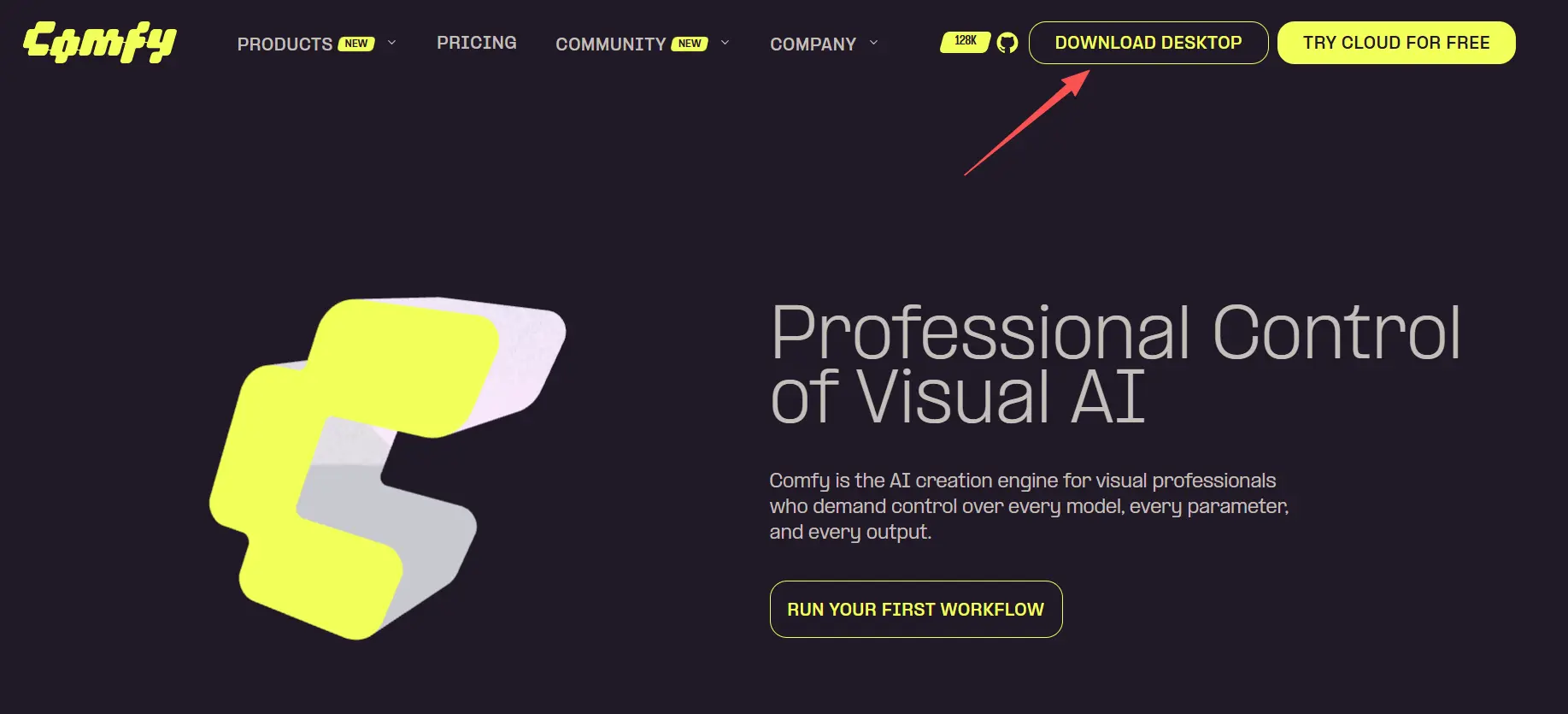
如果你已有 ComfyUI: 检查版本号。启动后在设置(左下角齿轮)→ 关于里看。低于 0.30.0 就需要更新——桌面版点菜单里检查更新,手动部署的 git pull 一下。
3、下载模型 MiniMax-H3 文件
| 模型文件 | 大小 | 放置路径 |
|---|---|---|
qwen3vl_32b_minimax_h3_nvfp4_awq.safetensors | 14.6 GB | ComfyUI\models\text_encoders |
minimax_h3_ref2va_pruned_int8_convrot.safetensors | 19.5 GB | ComfyUI\models\unet |
minimax_h3_audio_vae_fp32.safetensors | 577 MB | ComfyUI\models\vae |
minimax_h3_video_vae_fp16.safetensors | 4.8 GB | ComfyUI\models\vae |
注意: 模型总大小约 40GB,请确保硬盘空间充足。建议使用 固态硬盘(SSD) 以获得更好的加载速度。:HuggingFace 国内访问慢,可以把链接里的 huggingface.co 换成 hf-mirror.com。大文件用 IDM 或 aria2 下,支持断点续传。
4、安装步骤
- 打开 ComfyUI,进入 Manager(管理器)
- 搜索 “MiniMax-H3 Turbo”,安装自定义节点
- 去 larryvrh/MiniMax-H3-Turbo-Lora[3] 下载 LoRA 权重
- 把
.safetensors文件放到ComfyUI/models/loras/ - 重启 ComfyUI
![图片[3]-MiniMax H3 本地部署详细教程-LyleSEO](https://www.lishaowei.cn/wp-content/uploads/2026/08/653.png)
5、开始使用
从官方 T2V 工作流开始,做两个改动:
① 在模型加载器和采样器之间插入 MiniMax-H3 Turbo LoRA 节点
② 把采样器换成 MiniMax-H3 Turbo Sampler(4-step),调度器设为 simple
二、开始生成视频
1、加载工作流
ComfyUI 顶部菜单 → 工作流 → 浏览模板 ,找到 “MiniMax H3 文生视频” 点开。
![图片[4]-MiniMax H3 本地部署详细教程-LyleSEO](https://www.lishaowei.cn/wp-content/uploads/2026/08/jia.png)
注:如果弹出提示缺模型,会自动弹窗列出缺失文件并给下载链接。也可以跳过去,你已经手动放好了——还没识别就重启一次 ComfyUI。
2、写提示词
官方推荐的分段描述格式:
Visual style:
[写画面风格、色调、整体调性]

0–X seconds:
[第一个镜头:画面内容+运镜+文字/声音]

X–Y seconds:
[第二个镜头:切换后的画面+动作]

Audio:
[环境音、音乐风格]
写完后点 Queue Prompt(运行)。第一次会卡在模型加载(30 多 GB 从磁盘进内存),后面会快很多。
3、生成视频效果
文生视频(T2V)— 眼镜广告
Create a surreal 15-second high-fashion eyewear commercial combining experimental dance, impossible camera movement, and premium kinetic typography.Visual style:Minimalist monochrome cobalt-blue studio, glossy reflective floor, sculptural lighting, deep shadows, occasional electric red accents. Luxury fashion film, surreal editorial art direction, precise choreography, cinematic slow motion mixed with sudden rhythmic cuts. Every frame feels intentionally designed.0–3 seconds:A pair of the exact eyeglasses floats alone in a blue void. The glasses slowly rotate while thin blueprint lines, tracking points, circles, and measurement markers scan across the frame. The words appear one at a time in sharp condensed typography:THE FRAMETHE FORMThe letters bend around the glasses and briefly reflect inside the lenses.3–6 seconds:A female dancer enters wearing the eyeglasses. She performs elegant but slightly unnatural contemporary dance movements, with sharp pauses and impossible changes of direction. The camera moves around her in a smooth 180-degree orbit. Typography wraps around her body and glasses:LOOKCLOSERThe words stretch with motion blur, disappear behind her shoulders, and reappear through animated masks.6–9 seconds:The dancer suddenly splits into three perfectly aligned afterimages. Each version performs a different movement. The eyeglasses remain identical and stable on every face. Use split screens, liquid masks, graphic wipes, chromatic aberration, halftone textures, scribbles, arrows, interface markers, and rapidly shifting geometric overlays.Typography transforms dynamically:SEEMOVEFASTERMake the letters rotate in 3D, fragment into pieces, become vertical, upside down, oversized, tiny, and briefly form a tunnel around the dancer.9–12 seconds:Extreme close-up of the eyeglasses. The lens becomes an impossible portal showing multiple versions of the blue studio. The dancer moves behind the lens reflection as if trapped inside the glass. Add sharp flash frames, typography trails, bass-synchronized pulses, scan lines, and a fast graphic wipe.The word FRAME breaks apart and reconstructs as:REFRAME12–15 seconds:The dancer stops completely. Silence for one beat. She slowly turns her face toward the camera. The camera pushes into the lens reflection. The eyeglasses fill the frame in a flawless luxury product close-up.The words appear in sequence:SEE DIFFERENTAGAIN“AGAIN” expands until it fills the entire screen. Instant cut to black.Typography must be perfectly legible, correctly spelled, uppercase, and integrated into the scene as editorial motion graphics rather than subtitles. Use premium condensed grotesk typography, precise kerning, strong composition, motion blur, masking, 3D rotation, reflections, depth, and rhythm-synchronized animation.Audio:Experimental electronic art-pop, analog synth pulses, mechanical breathing, glass clicks, sharp bass hits, digital glitches, and one sudden moment of silence before the final product close-up.Maintain consistent character identity, consistent eyeglasses design, realistic anatomy, elegant fashion styling, and clean cinematic image quality. No random text, no misspelled words, no subtitles, no product deformation, no extra glasses, no warped face, no extra limbs, no logos, no casual commercial look.三、常见问题
1、模型下了但 ComfyUI 说找不到 → 检查目录路径,主模型放 diffusion_models/,编码器放 text_encoders/,VAE 放 vae/。别混了。
2、视频没声音 → 确认音频 VAE 有没有放进 vae/ 目录,工作流里有没有 VAEDecodeAudio 节点。
3、显存爆了(OOM)→ 三个方向:① 用量化版模型(pruned_int8 / pruned_fp8)② 开 Turbo LoRA 的 low_vram 开关 ③ 降低分辨率到 608×352 先验证流程。
4、帧数和填的不一样 → H3 的帧数落在 17k+5 的格子上,你填的数值会被吸附到最近的合法值。5 秒可以直接用 124 帧。
5、画面崩了 → 分辨率别低于 384p,256p 以下会失败。提示词也别太贪心,一个镜头里的动作尽量简单,复杂了人物容易变形。